
When a subscription payment fails, an invoice is automatically generated and sent to the customer. The customer can pay using an existing or new payment method via the link in the invoice. Additionally, the system automatically retries payments based on configurable retry settings and can cancel the subscription if all retries fail.
What Happens Step by Step
1. Invoice Generation
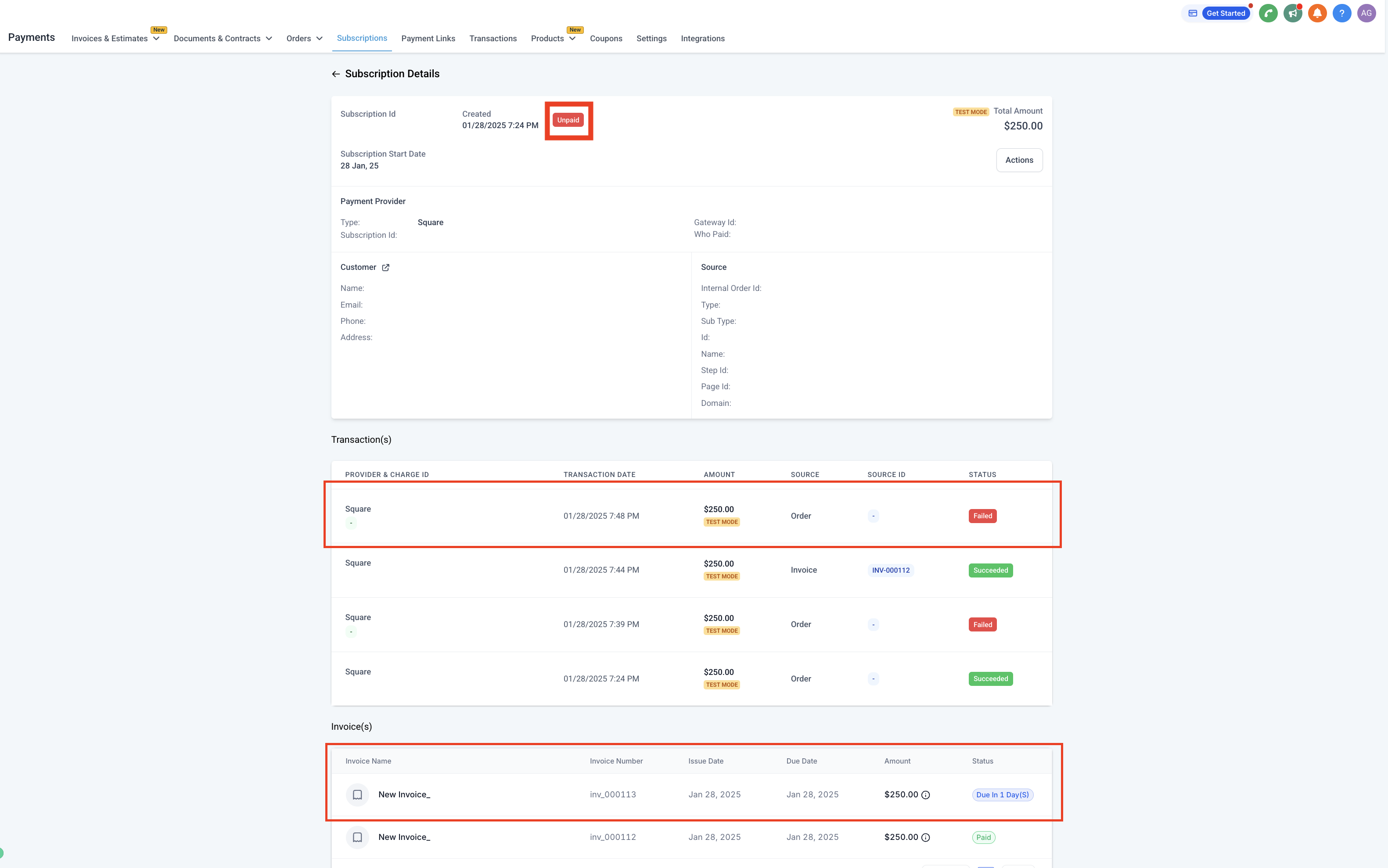
When a subscription payment fails, an invoice is automatically created and sent to the customer.
2. Payment Options for the Customer
The customer can pay the invoice using an existing payment method or add a new one. If a new card is used, it will become the default payment method for future subscription payments.
3. Automatic Payment Retries
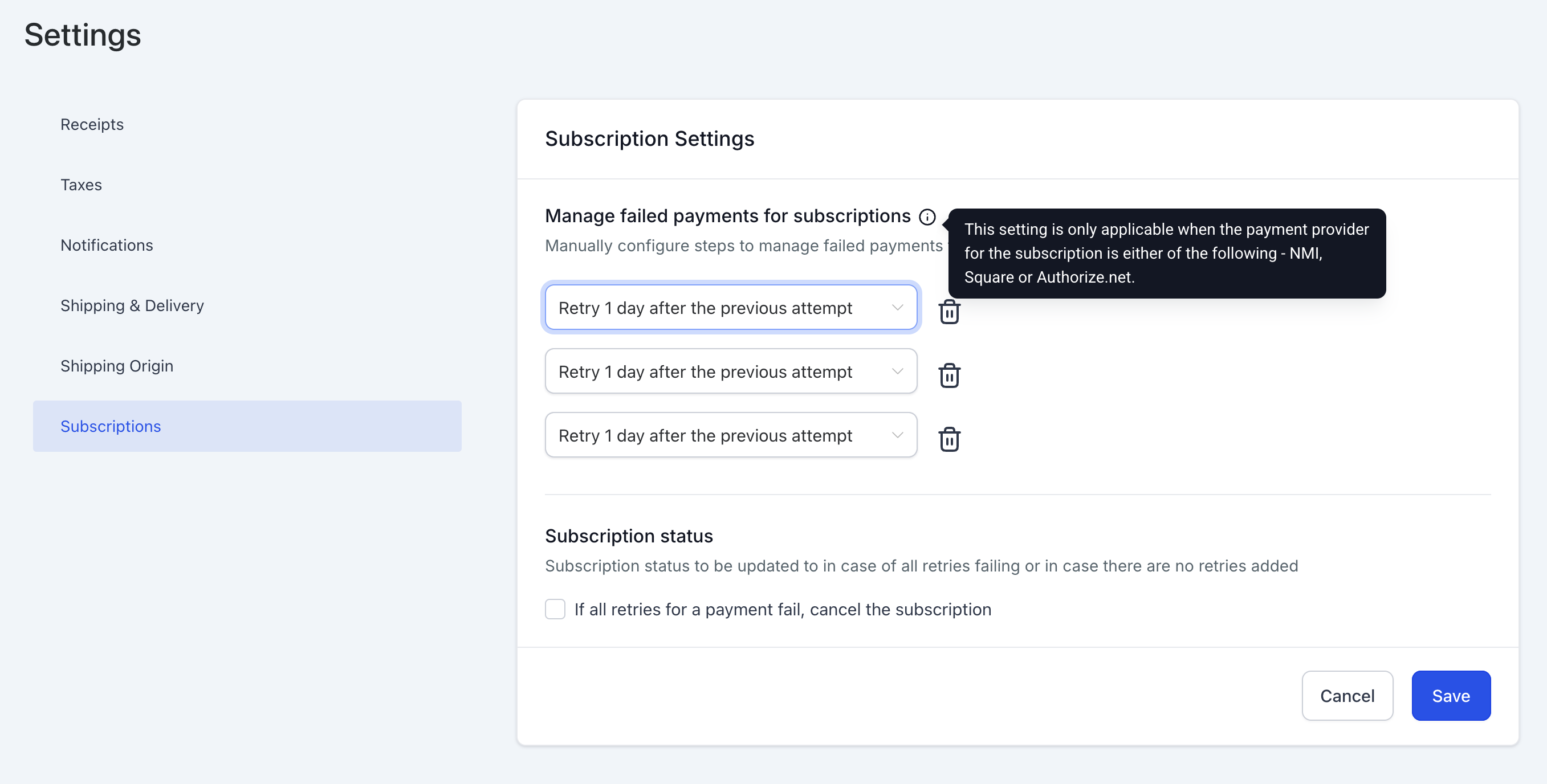
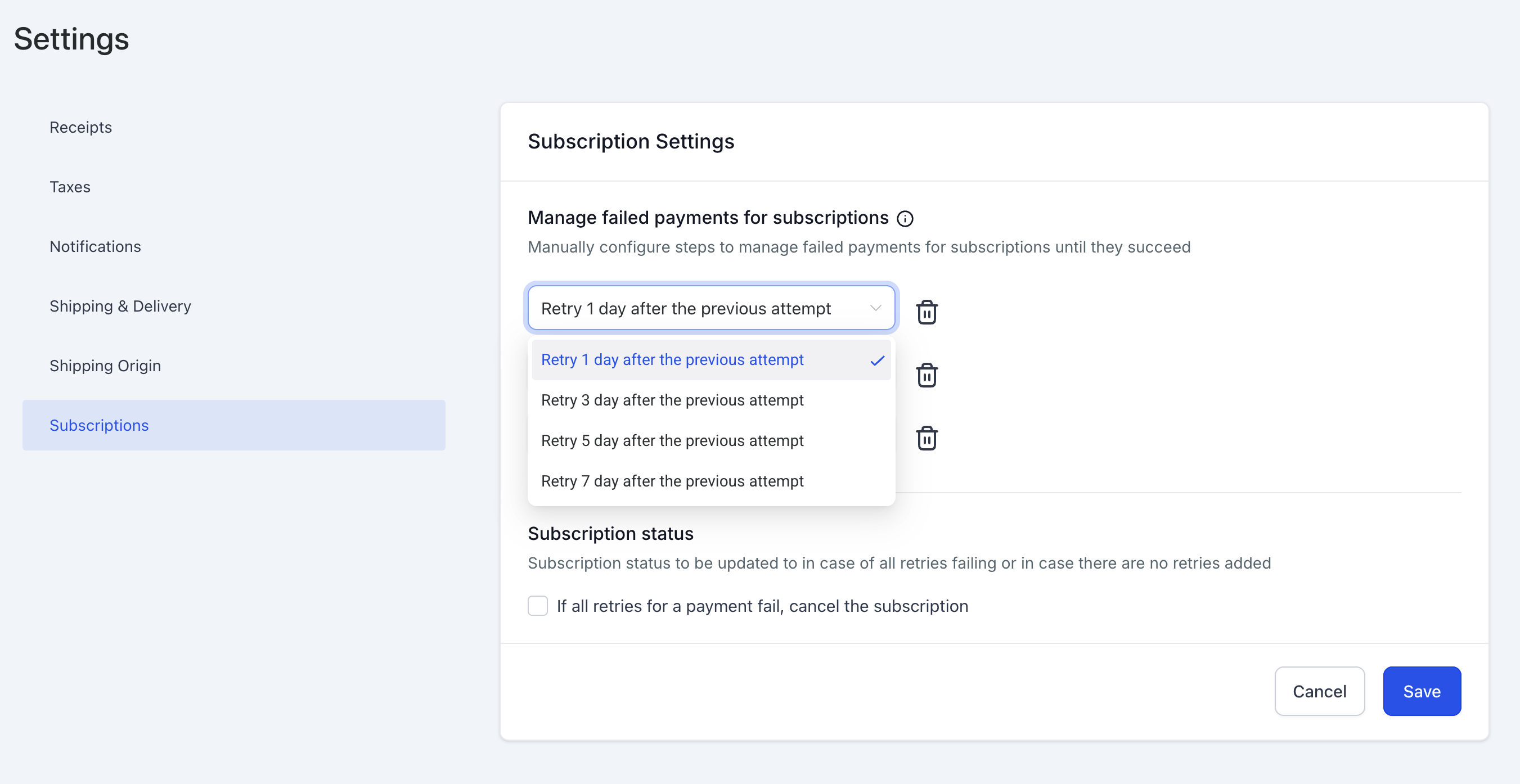
The system will attempt to process the subscription payment again at fixed intervals based on your retry settings.
- Default: 3 retry attempts, each 1 day apart.
- Customizable retries: You can configure 1, 2, or 3 retries with intervals of 1, 3, 5, or 7 days between each attempt.
- Impact of changes: Any modifications to retry settings apply to both new and existing subscriptions, including those currently undergoing retries.
4. Subscription Status
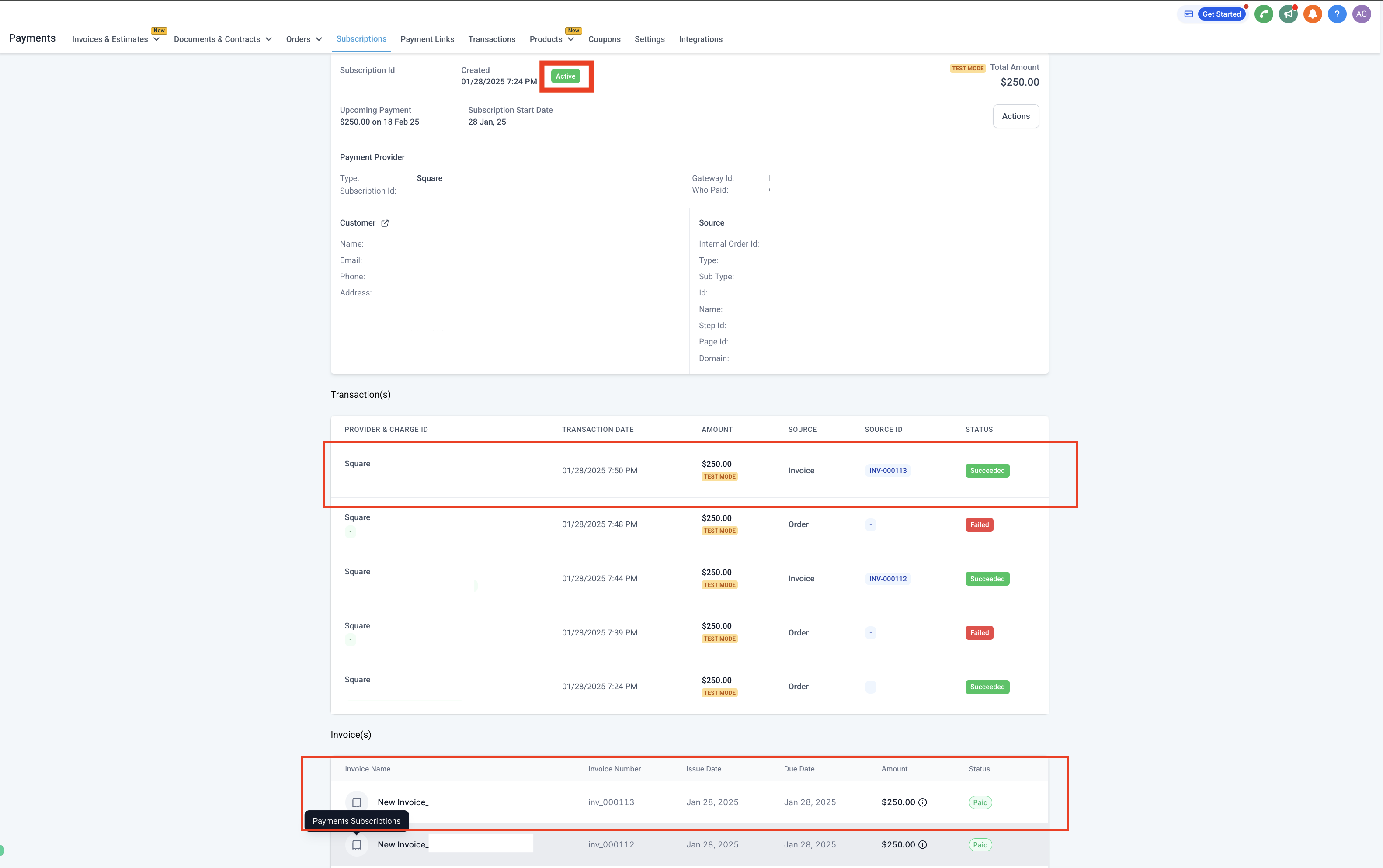
Whether payment succeeds via a retry or via the invoice, the subscription returns to Active status — provided no other invoice is pending against it. If all retries fail, the subscription remains in an unpaid state.
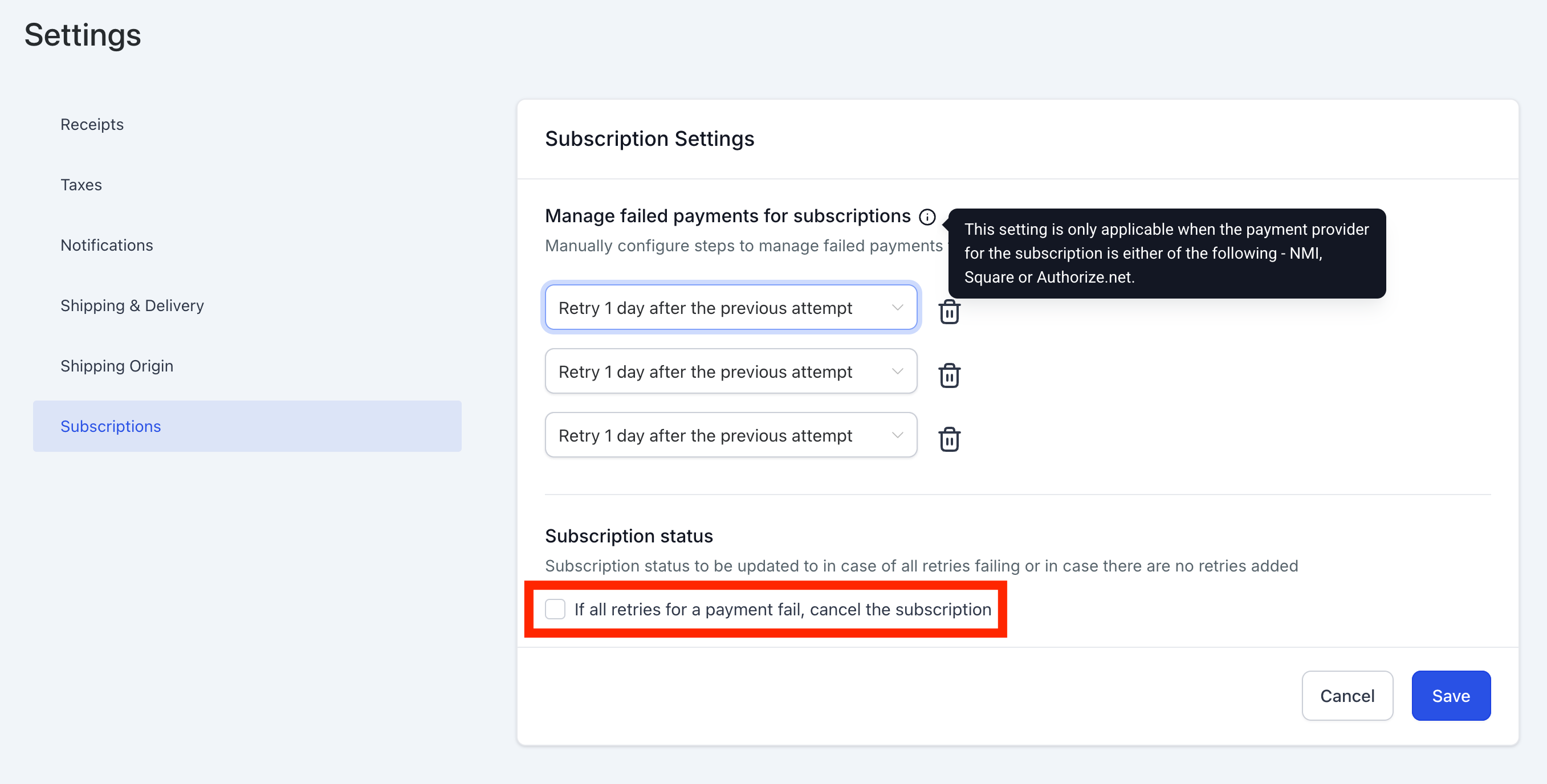
5. Auto-Cancellation (Optional)
Under Payments → Settings → Subscriptions, you can configure subscriptions to be automatically marked as cancelled if all payment retries fail.
Additional Points
- Customers receive notifications about the failed payment and the generated invoice.
- Payment retries run in parallel with the invoice payment option, ensuring multiple avenues for successful payment collection.
- If a customer completes payment via the invoice before a retry attempt, the retry process stops automatically.
- Businesses can update retry settings at any time — changes take effect immediately for all applicable subscriptions.
- The system ensures seamless updates to payment methods, reducing friction for customers while maintaining subscription continuity.
Comments
0 comments
Please sign in to leave a comment.