
What is the Revamped Contacts List View & SmartLists?
Captivation Hub's updated Contacts module brings together an all-new List View and SmartLists 2.0 into one seamless experience. Designed with clarity and efficiency in mind, this release equips you with robust tools like drag-and-drop column management, a powerful filter builder with AND/OR logic, and enhanced sharing controls — all aimed at making contact organization simpler and more action-oriented.
Key Benefits
These improvements are crafted to boost productivity and enhance your workflow:
- A modern, intuitive interface that aligns with the rest of the CRM pages
- Quick column management with search and drag-and-drop functionality for effortless organization
- Advanced filtering using AND/OR logic to build complex queries effortlessly
- Streamlined SmartLists featuring integrated sorting, field management, and refined sharing & permissions
- Reduced setup time, empowering you to focus more on nurturing customer relationships
Contact List View
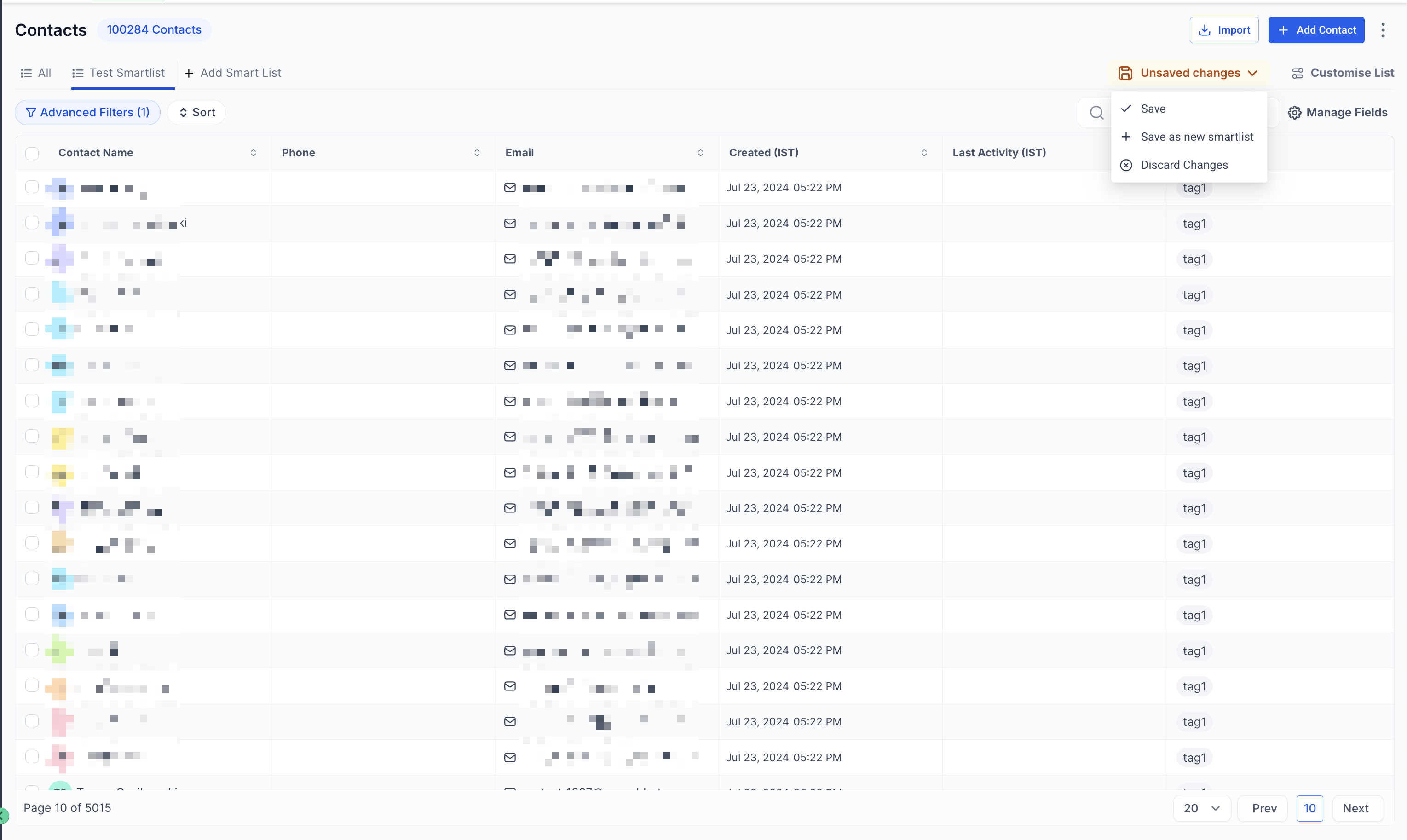
The reimagined Contact List View offers a cleaner and more consistent display, making it easier to scan and manage your contacts. Navigate to the Contacts tab to see the updated view automatically applied.
SmartList 2.0
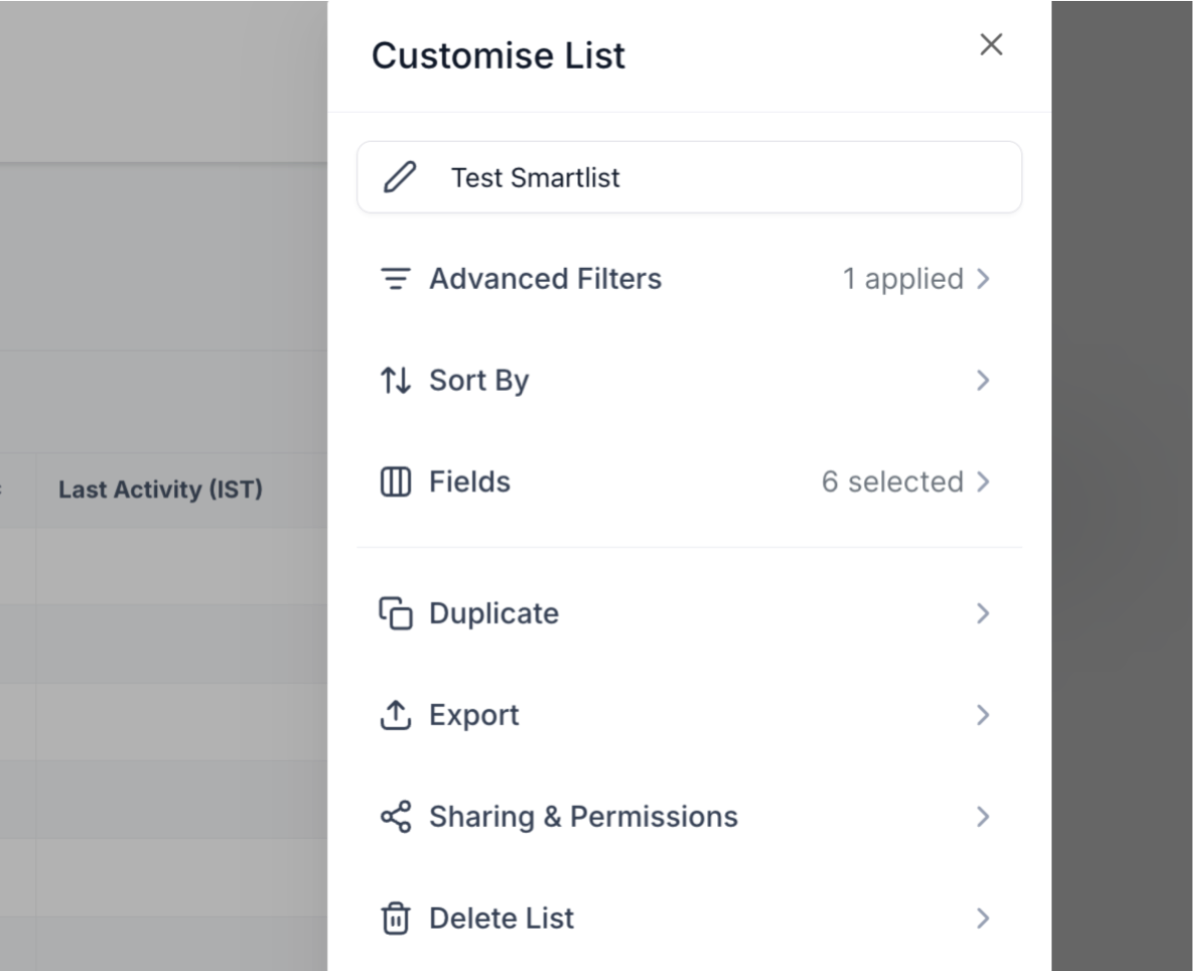
SmartList 2.0 revolutionizes how you create and manage contact groups by combining multiple features into one cohesive workflow:
- Advanced filter builder — applies both AND/OR logic for detailed queries
- Easy field management — add, remove, or reorder contact information columns
- Integrated sorting — quickly organize contacts by various criteria
- Enhanced sharing and permissions — control who can view or edit your SmartLists
Frequently Asked Questions
Q: How do I know I'm using the new Contact List View?
A: When you navigate to Contacts, the updated, modernized view is applied automatically.
Q: What makes SmartList 2.0 different from the previous version?
A: SmartList 2.0 integrates advanced filtering, sorting, field management, and refined sharing options into a single workflow for enhanced efficiency.
Q: Can I create complex contact queries with the new filter builder?
A: Yes! The filter builder's AND/OR logic allows you to craft detailed queries that precisely match your criteria.
Q: Are the new sharing and permissions settings more secure?
A: Yes, the enhanced sharing options grant more granular control over who can view or edit SmartLists, ensuring better data privacy and security.
Q: How can I provide feedback on these new features?
A: Feedback can be shared directly with your Captivation Hub support representative or via the feedback channels within the platform.
Comments
0 comments
Please sign in to leave a comment.