
Triggers are essentially “if, then” statements that automate various features in Captivation Hub. These allow you to customize workflows so that when a specific event happens (the “IF”), a particular action (or actions) automatically follow (the “THEN”). Setting up these automations helps you streamline and run your business more efficiently.
There are two key parts to creating a trigger. Part 1 is the “IF” statement: What event should initiate this rule?
The “THEN” is Part 2: What actions should be perform?
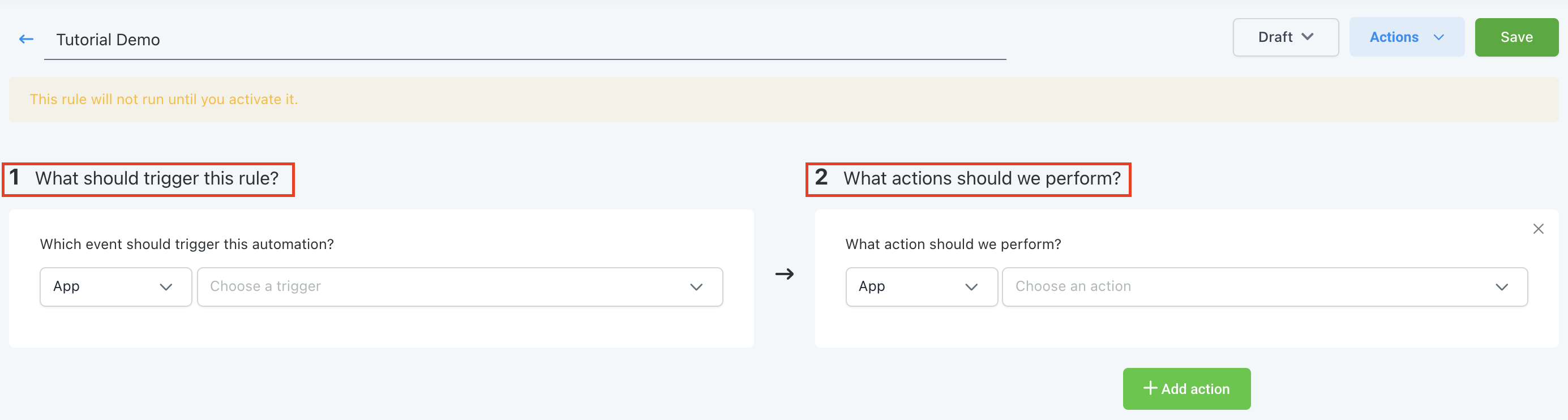
You can completely customize these features with one or multiple actions. Some common examples of triggers are shown below:
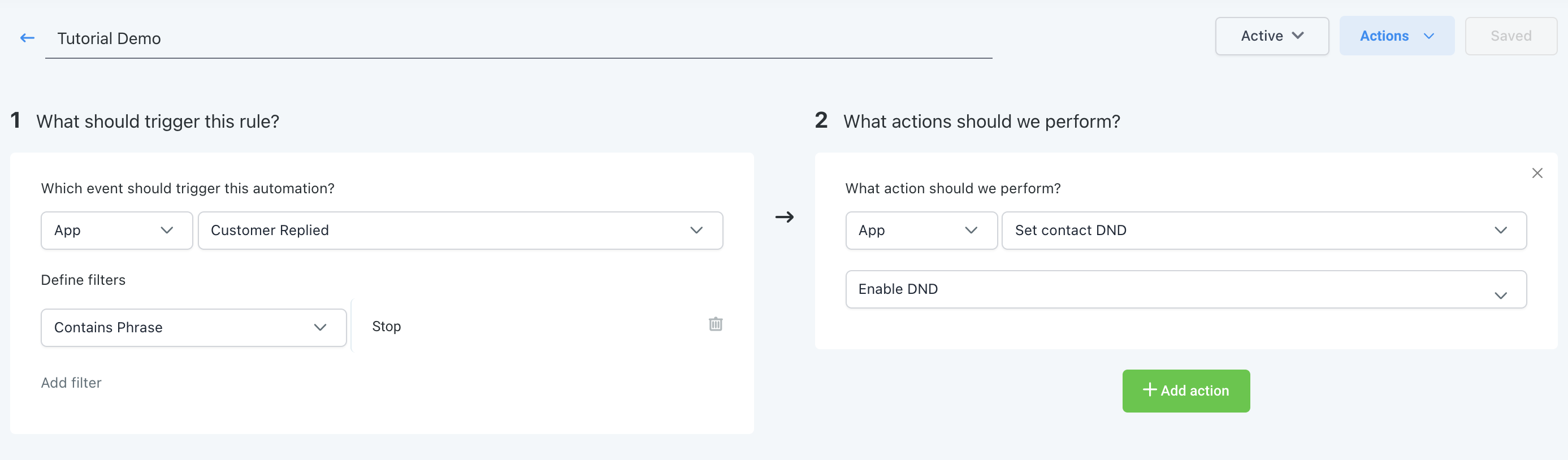
IF the customer reply is “stop” > THEN the DND is enabled.
IF the Two step order form completed THEN add the contact to a campaign and tag the contact.

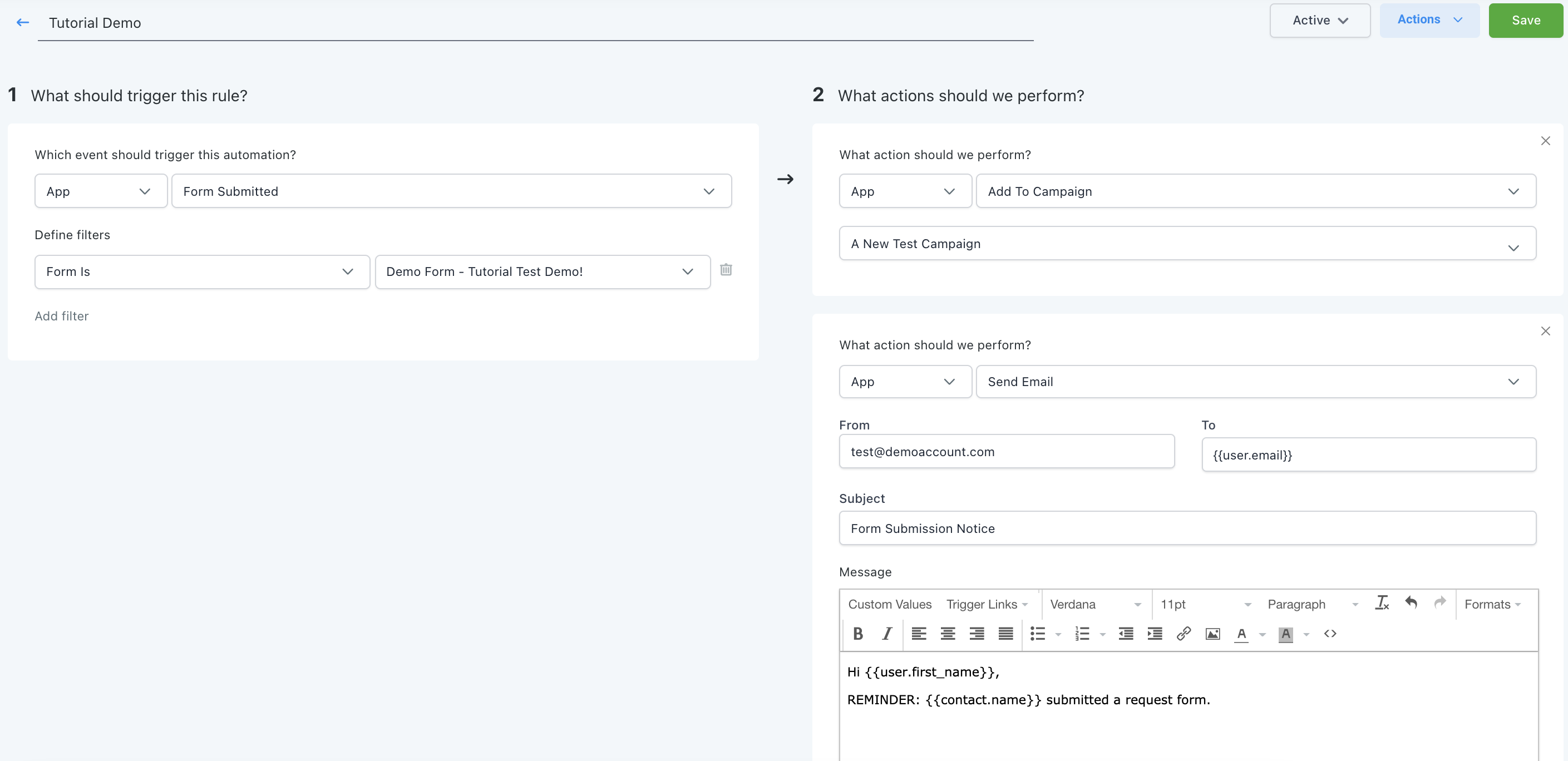
IF a form is submitted THEN add the contact to a campaign, and send an email notification to the User.
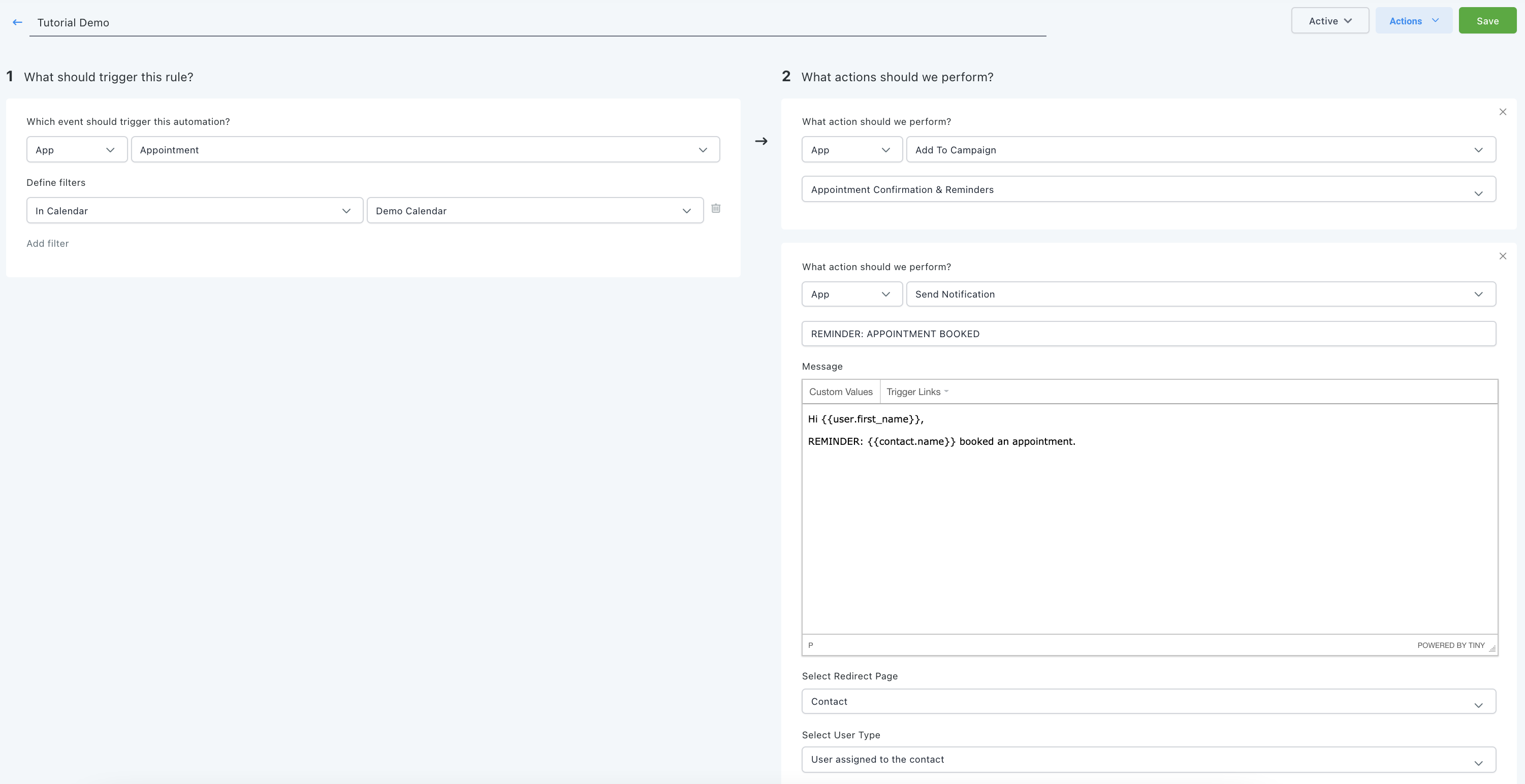
IF a customer booked an appointment THEN add them to the Appt. Reminder campaign, and send a notification to the User.
Once you’ve created a trigger, click Save in the top right. By default, it will be set to “Draft” mode, so you’ll need to switch that dropdown to “Activate” in order for the trigger to function.
Comments
0 comments
Article is closed for comments.